
Training
Learn to review a schedule and how each part of the dashboard helps you do it.
Free guides and video tutorials for planners, schedulers and project controls teams. Each one explains part of a Primavera P6 or Microsoft Project review, then shows where to find it in the Trestle Path dashboard and how to read what it shows, worked on a demonstration construction schedule. No account needed.
- The method. What to check in a schedule, and why it matters.
- The dashboard. Which section answers it, and how to use it.
guides for “”
01 · Topic
Start here
What a full review covers, how to read its first screen, how to open an XER without P6, and how every number is checked.
 Sample reviewA full schedule review, section by sectionEvery section of a review walked through on a demonstration metro schedule.10 min readRead →
 OverviewSchedule health at a glanceHow the health grade is scored, where the verdict sits and what needs your attention first.13 min readRead →
 XER filesOpen and read an XER without P6What an XER holds, what a viewer shows and what it cannot, read in your own browser.4 min readRead →
 MethodologyHow the numbers are checkedEvery figure worked out again from the activities and links, and proved against P6’s own scheduling.7 min readRead →
02 · Topic
Quality and logic
Is the schedule fit to rely on? DCMA, logic, the critical path, calendars, durations and the WBS.
 VideoDCMA 14-PointDCMA 14-point assessment, check by checkWhat each check counts, its threshold, and what a fail means and does not mean.11 min readRead →
 VideoLogic & NetworkSchedule logic healthOpen ends, dangling logic, leads, lags, SF links and out-of-sequence progress.13 min readRead →
 VideoCritical pathCritical path, longest path and float pathsWhy one P6 update can show five different critical-path counts, and how each is defined.15 min readRead →
 Logic TracerTracing the driving predecessorWhich link drives each date by P6’s own rule, and how far every other link misses.13 min readRead →
 VideoLogic repairDangling and redundant logicHow to find it, what it costs a forecast, and how to repair it without moving a date.8 min readRead →
 VideoCalendarsCalendars in a schedule reviewHours per day, working weeks, holidays and calendar edits between updates.10 min readRead →
 VideoDuration AnalysisActivity duration analysisLong and zero durations, round-number estimates, and actual against planned.11 min readRead →
 VideoWBS BreakdownWBS roll-upWhere the work, the critical path and the slip sit, rolled up by P6’s own rules.12 min readRead →
03 · Topic
Updates and delay
What changed since last month, what is overdue, and how much delay a milestone can take.
 VideoComparing updatesComparing two P6 updatesWhat a month-over-month comparison checks: dates, progress, scope, logic and float.9 min readRead →
 VideoRelationship changesRelationship changes between updatesEvery link added, removed, retyped or re-lagged, and why lag is compared in hours.12 min readRead →
 Delayed activitiesDelayed activities in an updateThe overdue backlog against last month’s plan: what fell due and what was carried forward.9 min readRead →
 VideoDelay analysisSchedule delay analysis, four pathsA submitted time impact analysis, this month’s update, or the delay over months.12 min readRead →
 VideoDelay absorptionDelay absorptionHow much slip an activity can take before a milestone moves.12 min readRead →
04 · Topic
Performance and risk
Earned value, resource performance period by period, and the work that meets bad weather.
 VideoEarned valueEarned value on a P6 scheduleSPI, Earned Schedule and SPI(t), the to-complete indices and the late-dates test.13 min readRead →
 VideoResource performanceResource performance, period by periodPlanned against actual units from a resource-loaded P6 schedule.10 min readRead →
 Weather riskSeasonal weather riskWhich work meets bad weather, counted on each activity’s own calendar.9 min readRead →
05 · Topic
Reading, files and reports
Read the schedule the way it was built, find any activity, and send the review out.
 VideoSchedule ReaderReading a schedule the way it was builtWBS bands with roll-ups, a P6-style Gantt with baseline bars and the driving chain.13 min readRead →
 Activity ExplorerFinding any activityTiles that count the critical, near-critical and constrained work, and filters that stack.10 min readRead →
 VideoLinear schedulesLinear schedules from a P6 fileA time-chainage diagram drawn from the schedule, without re-entering the plan.10 min readRead →
 MS Project XMLReviewing an MS Project XML exportWhat the export carries, how tasks are matched by Unique ID, and the traps.8 min readRead →
 Report ComposerBuilding a schedule review reportStart from a layout, add your commentary, then PDF, Word, PowerPoint or Excel.11 min readRead →
 VideoReview workbookA schedule review in one Excel workbookThe verdict, logic, critical path, durations, progress and every change, tab by tab.13 min readRead →
No guide matches that
Try a broader word, such as float, logic or update.
Prefer to watch?
Video tutorials
Walkthroughs on the live dashboard and the free tools, with chapters you can jump between. New tutorials are added regularly.
 DCMA 14-Point AssessmentFourteen checks
 Logic & Network HealthFive questions
 Critical Path & FloatWhich chain sets the finish
 Redundant & Dangling LogicClean and repair P6 logic
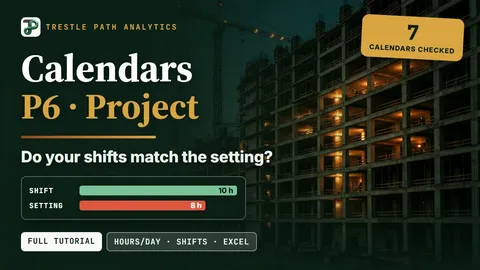 P6 calendarsWhy 10 working days show as 12.5
 Duration AnalysisCan you trust the durations?
 Read a P6 WBSWhy a 187-day slip vanishes one level up
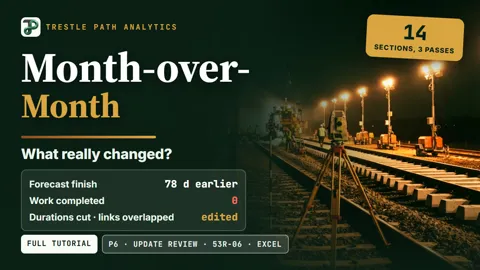 Month-over-MonthWhat really changed this update
 27 logic changes in one P6 updateHow to review them
 Delay Analysis & ValidationFive case studies
 Delay AbsorptionWhen does the date really move?
 Earned Value Management for SchedulersWhy SPI Ends at 1.00
 Resource PerformanceS-curves and the stored record
 8 checks for every monthly P6 schedule updateThe full tutorial
 Linear ScheduleWhen and where the work happens
 Quality & Forensic ReportOne workbook, one pack
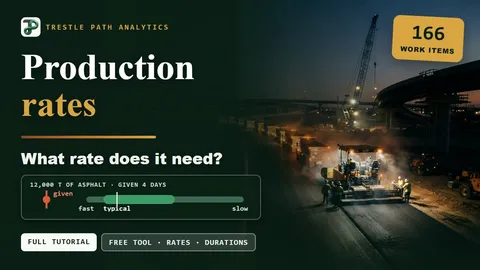 Production Rates for SchedulingIs 4 Days for 12,000 t Feasible?
No sign-in
Free tools
Two tools that run in your browser, free, with nothing sent anywhere.
Turns a Microsoft Project .mpp or .xml schedule into a Primavera P6 XER, with calendars, WBS, milestones and lags as a P6 scheduler expects, and a report of every change.
Open the converter → Production rates and duration checkerLow, typical and high production rates for civil and infrastructure work. Estimate an activity's duration, or check a contractor's duration or a whole list.
Open the checker →Try it on your own schedule
Fourteen days free, no credit card, every section open. Your XER or XML file is read in your browser and never uploaded.